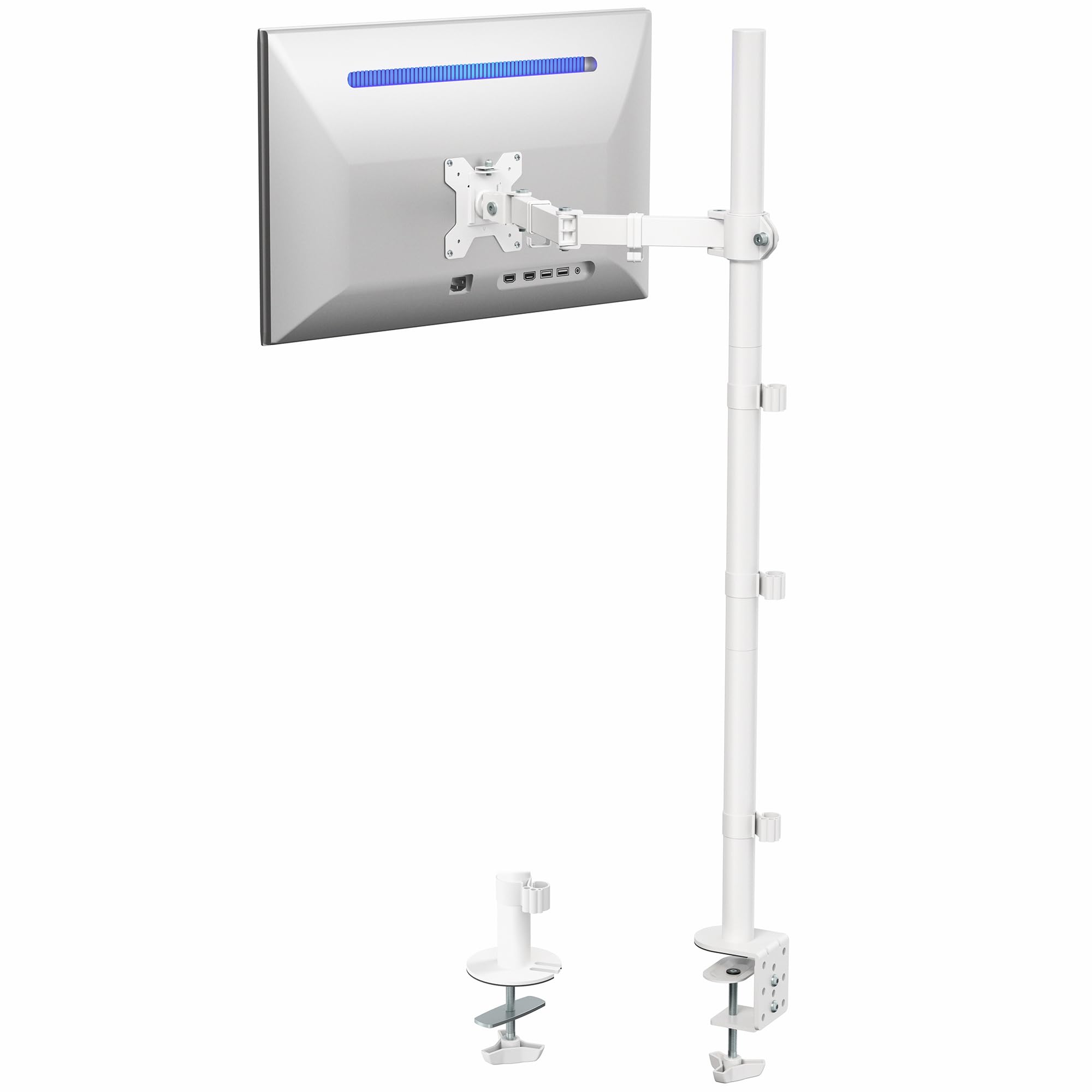
The VIVO Extra Tall Single Monitor Desk Mount is designed for a single screen setup that needs more vertical range than a typical desk stand.
This VIVO Extra Tall Single Monitor Desk Mount review looks at its tall pole, adjustment options, compatibility limits, and desk-mounting requirements.
VIVO Extra Tall Mount Review Summary
The quick verdict
20,000+ ratings
Read Amazon ReviewsVIVO Extra Tall Single Monitor Desk Mount
A single-monitor desk mount for buyers who want broad height adjustment, flexible screen positioning, and a clamp or grommet installation.
- Single-screen support for displays weighing up to 22 pounds, with 75 × 75 mm or 100 × 100 mm VESA mounting holes.
- Compatibility covers most monitors from 13 to 32 inches and ultrawide monitors up to 38 inches.
- A 39-inch center pole allows height adjustment along the pole for seated or standing desk positions.
- The arm offers +90° to -90° tilt, 360° swivel, and 360° rotation; the screen can be positioned in portrait or landscape orientation.

Pros
- Extra-tall pole gives the mount a wide vertical adjustment path.
- Broad tilt, swivel, and rotation range supports varied viewing angles and screen orientations.
Consider before buying
- The 22-pound weight limit may rule it out for heavier displays, even if their screen size is within range.
- The desk must be no more than 4 inches thick for the stated clamp fit; verify the surface and underside clearance before installation.
Read the full review summary
The defining feature is its 39-inch center pole, which provides a long vertical adjustment path for a monitor that may need to move between sitting and standing positions.
Combined with tilt, swivel, rotation, and portrait or landscape orientation, that range makes the mount adaptable to changing desk routines and different screen layouts.
It suits buyers with one compatible monitor who want to free up desk surface area and position the screen independently of its original stand.
Before choosing it, check the monitor’s weight and VESA pattern, the desk thickness, and whether the tall pole fits the space above the work surface.
The buying factors
VIVO Extra Tall Mount Scorecard
Editorial scores reflect listed features and buyer fit; they are not laboratory measurements or customer ratings.
Vertical adjustment range
The 39-inch pole is the main draw and gives the mount an extended height adjustment path.
Screen compatibility
It supports monitors up to 22 pounds with common 75 × 75 mm or 100 × 100 mm VESA patterns, including ultrawides up to 38 inches.
Positioning flexibility
Tilt, swivel, rotation, pole height adjustment, and portrait or landscape use cover a wide range of positioning needs.
Desk mounting options
A heavy-duty C-clamp or optional grommet mount gives buyers two installation approaches, subject to desk thickness and layout.
Cable organization
Clips along the arm and pole provide a route for power and AV cords.
Installation support
A detachable VESA plate, assembly hardware, instructions, and a three-year manufacturer warranty support setup and ownership.
Key Features and Specifications of VIVO Extra Tall Mount
- Single-screen support for displays weighing up to 22 pounds, with 75 × 75 mm or 100 × 100 mm VESA mounting holes.
- Compatibility covers most monitors from 13 to 32 inches and ultrawide monitors up to 38 inches.
- A 39-inch center pole allows height adjustment along the pole for seated or standing desk positions.
- The arm offers +90° to -90° tilt, 360° swivel, and 360° rotation; the screen can be positioned in portrait or landscape orientation.
- Attaches to desks up to 4 inches thick with a heavy-duty C-clamp or optional grommet mount.
- Cable clips along the arm and center pole help organize power and AV cords.
- The steel mount includes a detachable VESA plate, assembly hardware, step-by-step instructions, and a three-year manufacturer warranty.
Pros and Cons of VIVO Extra Tall Mount
Pros
- Extra-tall pole gives the mount a wide vertical adjustment path.
- Broad tilt, swivel, and rotation range supports varied viewing angles and screen orientations.
- Common VESA patterns and support for ultrawides up to 38 inches cover many single-monitor setups.
- Clamp and grommet mounting options offer flexibility for desk installation.
- Cable clips, a detachable VESA plate, and included assembly instructions are useful practical touches.
Consider before buying
- The 22-pound weight limit may rule it out for heavier displays, even if their screen size is within range.
- The desk must be no more than 4 inches thick for the stated clamp fit; verify the surface and underside clearance before installation.
- A 39-inch pole needs sufficient overhead space and may be excessive for a setup that only needs modest height adjustment.
Who Should Buy VIVO Extra Tall Mount?
Good fit
Consider this mount if your priority is raising or lowering one compatible monitor across a substantial vertical range.
The tall pole is particularly relevant when a workstation alternates between seated and standing use, or when a standard monitor stand does not position the screen where you need it.
It is also a good fit if you want an articulated display that can turn between landscape and portrait layouts.
Confirm that the screen weighs no more than 22 pounds, has one of the supported VESA patterns, and falls within the stated size range before buying.
The C-clamp and optional grommet approach lets you choose between two desk attachment styles. Measure desk thickness and check the surface area and underside around the mounting point so the chosen method can be installed as intended.
Who should skip it
Skip this model if you need to mount two or more screens, or if your monitor exceeds the weight limit or lacks a compatible VESA pattern.
Buyers who only need a small height change may also find the extra-tall pole more than their workstation calls for.
If desk thickness, grommet access, or overhead clearance is uncertain, measure the setup first. The mount’s tall pole and desk attachment are central to its design, so the physical fit matters as much as screen compatibility.
What the VIVO Extra Tall Mount means for your setup
A height range aimed at changing desk positions
The 39-inch center pole is the clearest reason to choose this model. It allows the monitor to travel vertically along the pole and is intended to accommodate both sitting and standing positions.
The useful range in a particular workspace depends on the desk, monitor, and the viewing height you prefer, so consider where the screen needs to sit at each position before installing.
Check the screen’s mounting details
Screen size alone does not determine fit. The display must weigh no more than 22 pounds and use a 75 × 75 mm or 100 × 100 mm VESA pattern.
The stated size coverage is most monitors from 13 to 32 inches, with ultrawides up to 38 inches; check the monitor’s specifications for all three details before committing.
Articulation for more than one viewing angle
The arm combines tilt from +90° to -90°, full swivel, and full rotation. That gives room to adjust the screen’s angle or orientation, including switching between portrait and landscape.
These movements can help adapt a single display to different tasks, while the height adjustment happens along the center pole.
Plan around the desk and cable path
The mount attaches with a C-clamp or optional grommet mount, with the stated desk thickness limit of 4 inches.
Cable clips on the arm and pole help route AV and power cords, although the final cable path will depend on where the computer and outlets sit. Measure the mounting area and check clearance before assembly.
Alternatives to VIVO Extra Tall Mount
Computer Monitor Arms alternative
5,000+ ratings
Read Amazon ReviewsVIVO Single Monitor Desk Stand
Choose the Extra Tall model if its extended pole and desk-mounted clamp or grommet approach suit your workspace.
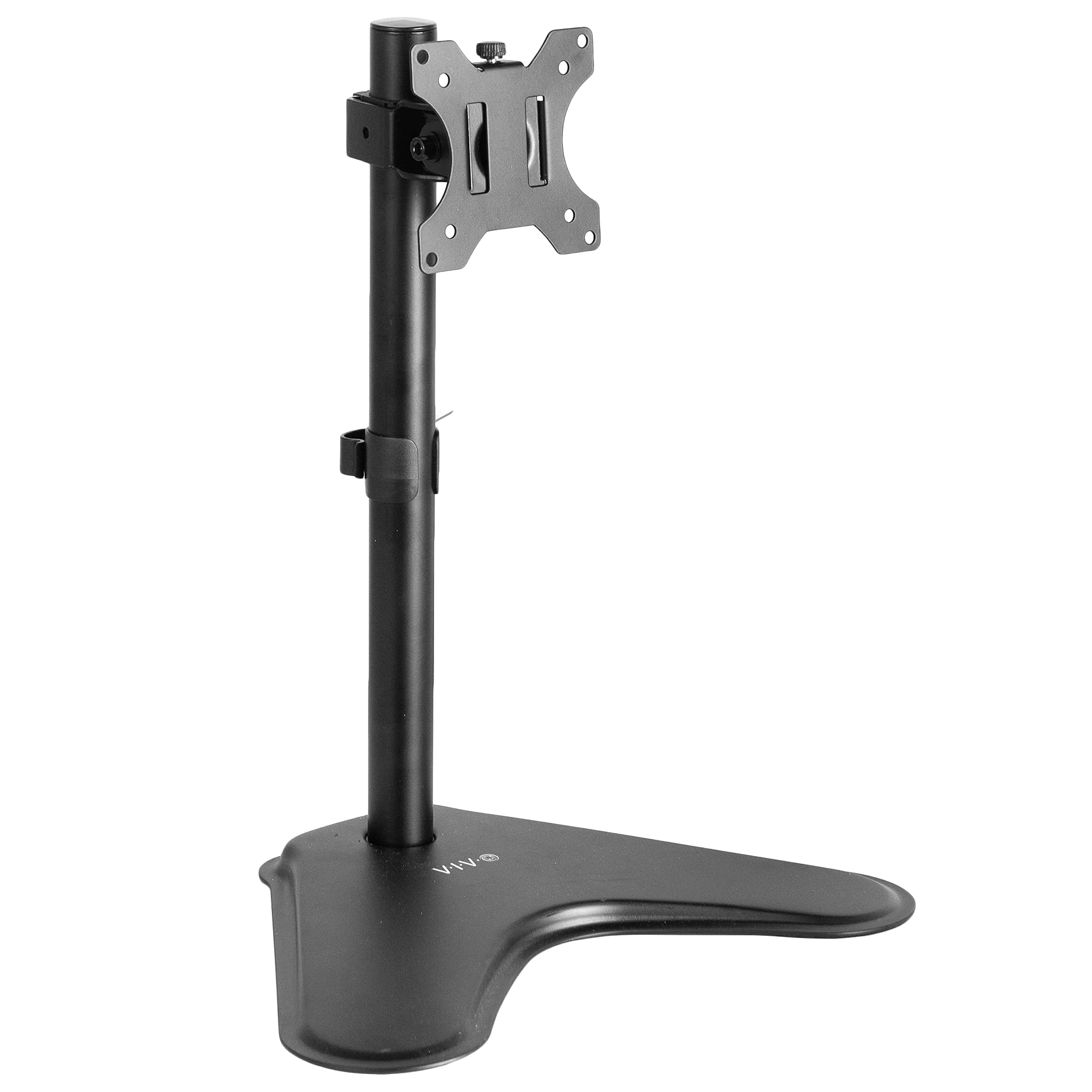
Consider the freestanding stand if you prefer not to attach a mount to the desk and its more limited tilt and swivel range is enough.
- This single-monitor stand supports displays up to 22 pounds and ultrawides up to 38 inches, but uses a freestanding base.
- Its adjustment includes height along the center pole, +15° to -15° tilt, 90° swivel, and 360° rotation.
- The Extra Tall model combines a 39-inch pole with support for displays up to 22 pounds and broad tilt, swivel, and rotation adjustment.
Computer Monitor Arms alternative
2,000+ ratings
Read Amazon ReviewsVIVO Aluminum Ultrawide Monitor Tension Arm
The Extra Tall model fits buyers with a lighter monitor who need substantial vertical travel along a pole.
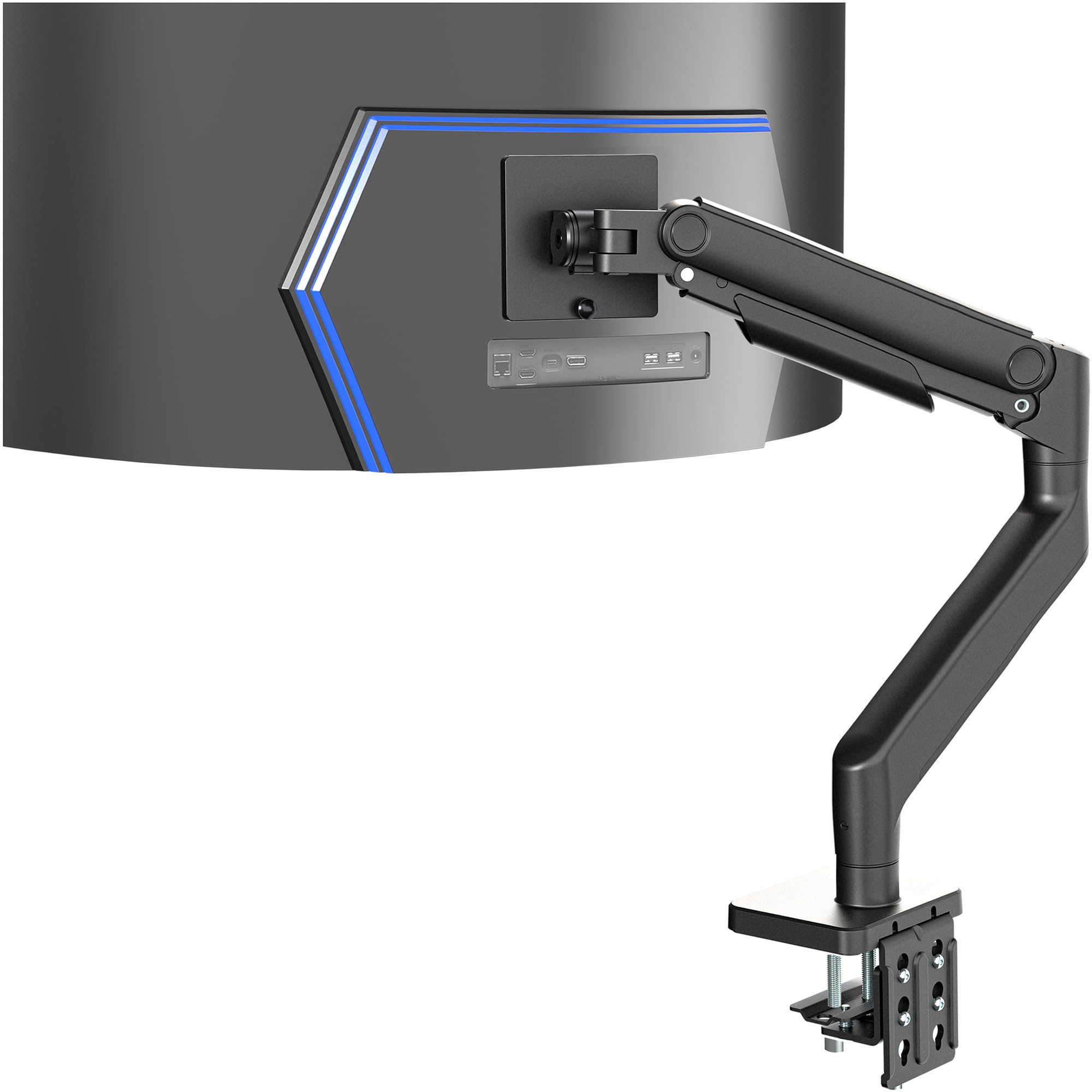
Consider the tension arm for a compatible heavier or larger ultrawide and a setup where spring-assisted repositioning is more useful; check its separate desk-thickness limits.
- This tension-arm model is designed for ultrawides up to 49 inches and 44 pounds, and uses a spring-assist arm with 11 inches of height adjustment.
- It attaches by C-clamp or optional grommet mount, with different thickness limits for each.
- The Extra Tall model is for one display up to 38 inches and 22 pounds, with height adjustment along a 39-inch pole.
Is VIVO Extra Tall Mount Worth It?
The VIVO Extra Tall Single Monitor Desk Mount is worth considering if a single compatible screen needs a substantial height range and you have a suitable desk mounting point.
Its 39-inch pole, full swivel and rotation, wide tilt range, and portrait or landscape positioning make it a flexible option for a workstation that changes throughout the day.
Check monitor weight, VESA pattern, desk thickness, and clearance before choosing it.
If your display fits those limits and you will use the extra height, this mount offers a practical combination of vertical adjustment and articulation; if you need multiple screens or only a modest height change, its defining feature may not match your setup.
Your review at a glance
20,000+ ratings
Read Amazon ReviewsVIVO Extra Tall Single Monitor Desk Mount
A single-monitor desk mount for buyers who want broad height adjustment, flexible screen positioning, and a clamp or grommet installation.
- Single-screen support for displays weighing up to 22 pounds, with 75 × 75 mm or 100 × 100 mm VESA mounting holes.
- Compatibility covers most monitors from 13 to 32 inches and ultrawide monitors up to 38 inches.
- A 39-inch center pole allows height adjustment along the pole for seated or standing desk positions.
- The arm offers +90° to -90° tilt, 360° swivel, and 360° rotation; the screen can be positioned in portrait or landscape orientation.