The Phomemo M110 Label Maker review centers on a compact thermal printer designed for small-business labeling, home organization, and gift prep.
Its app-based editing, Excel batch printing, and included starter rolls make it appealing when you need more than occasional handwritten tags.
Phomemo M110 Review Summary
The quick verdict
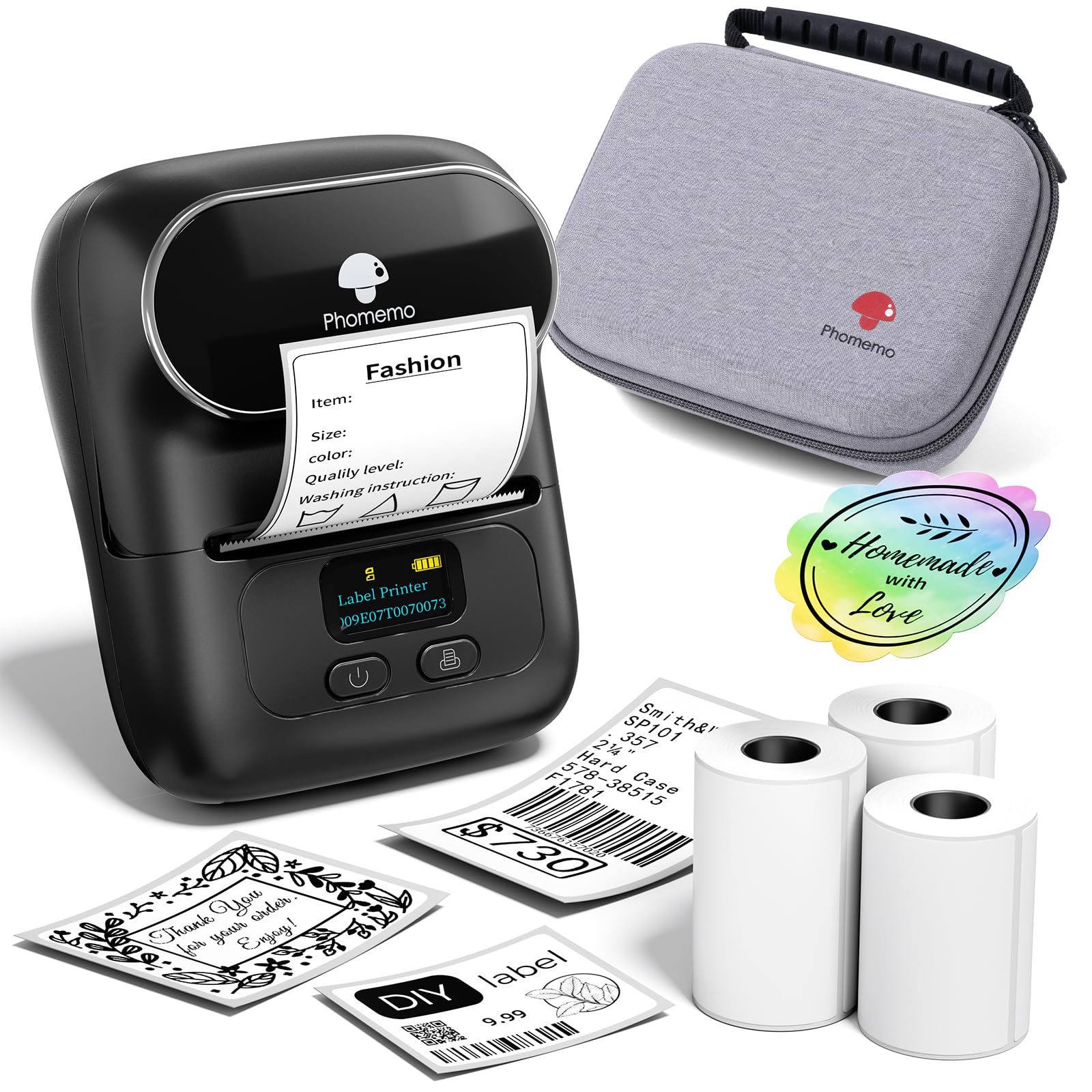
6,000+ ratings
Read Amazon ReviewsPhomemo M110 Label Maker
A portable thermal label maker for small businesses and home users who want phone or PC label design, batch printing, and starter supplies in one kit.
- Compact thermal label maker with a 2-inch format, Bluetooth connection, and monochrome output.
- Kit includes three rolls of white thermal labels, a black carrying bag, USB-C cable, and user manual.
- Phomemo Print Master app offers multiple templates and the option to create custom label templates.
- Excel batch printing supports producing multiple labels from organized data.

Pros
- Useful starter bundle with three label rolls and a carrying bag.
- Bluetooth workflow supports phone-based label editing and printing.
Consider before buying
- The app reserves a small selection of templates, icons, and fonts for members, so check whether a desired design is marked with a diamond.
- For best results, the product recommends Phomemo-branded thermal label paper; buyers who already stock another brand should confirm compatibility before relying on it.
Read the full review summary
The M110 combines a portable, roughly 2-inch Bluetooth label printer with three rolls of white thermal labels, a carrying bag, USB-C cable, and manual.
That starter kit gives a buyer supplies for trying several label tasks without first sourcing every accessory separately.
The Print Master app supports templates, custom layouts, and Excel batch printing, which can be useful when repeating product names, prices, or other information across multiple labels.
OCR adds a way to turn text in a photo into editable text, and the printer's small-business orientation suits barcodes, gift labels, and general office or home organization.
The main tradeoff is that the product description emphasizes thermal labels and app-centered setup; buyers with specialized label stock, a desktop-first workflow, or broad material requirements should check compatibility and software needs before choosing it.
The buying factors
Phomemo M110 Scorecard
Editorial scores reflect listed features and buyer fit; they are not laboratory measurements or customer ratings.
Portable label workflow
The compact 2-inch design and Bluetooth connection are suited to printing from a phone while moving between tasks.
Batch-printing tools
Excel batch printing and editable templates can streamline repeated labels.
Design flexibility
Templates and custom layouts support varied designs, though some app content is member-only.
Starter-kit usefulness
Three white thermal label rolls, a bag, USB-C cable, and manual are included.
Text capture
OCR can convert text in photos into editable text, adding a practical shortcut for copying information.
Media flexibility
The supplied details focus on thermal labels and recommend Phomemo-branded paper for best results.
Key Features and Specifications of Phomemo M110
- Compact thermal label maker with a 2-inch format, Bluetooth connection, and monochrome output.
- Kit includes three rolls of white thermal labels, a black carrying bag, USB-C cable, and user manual.
- Phomemo Print Master app offers multiple templates and the option to create custom label templates.
- Excel batch printing supports producing multiple labels from organized data.
- OCR recognizes text from images and converts it into editable text in the app workflow.
- Self-adhesive thermal labels are intended for tasks such as gift wrapping and general labeling.
- The product recommends Phomemo-branded thermal label paper; other brands may lead to printing issues or blurry output.
Pros and Cons of Phomemo M110
Pros
- Useful starter bundle with three label rolls and a carrying bag.
- Bluetooth workflow supports phone-based label editing and printing.
- Excel batch printing can reduce repetitive setup for runs of similar labels.
- OCR provides a shortcut for turning photographed text into editable content.
- Templates and custom layouts accommodate a range of label tasks.
Consider before buying
- The app reserves a small selection of templates, icons, and fonts for members, so check whether a desired design is marked with a diamond.
- For best results, the product recommends Phomemo-branded thermal label paper; buyers who already stock another brand should confirm compatibility before relying on it.
- The description emphasizes a phone app and Bluetooth workflow; buyers planning to print mainly from a computer should confirm the software and connection steps suit their setup.
Who Should Buy Phomemo M110?
Good fit
Consider the M110 if you need a compact label printer for recurring small-business, office, school, or home tasks and expect to create labels from a phone.
The templates make it easier to start with common layouts, while custom templates leave room to tailor labels to your own products or organizational system.
It is especially relevant if you print many similar labels. Excel batch printing is a practical match for repeated product or inventory information, and OCR may help when the text you need already exists in a photo.
The three included rolls offer a useful starting supply for testing your typical label designs.
Gift prep is another plausible use: the supplied description highlights self-adhesive thermal labels and batch printing for gift names. Before buying, consider the ongoing label-paper choice and check whether the free app templates cover your needs.
Who should skip it
Look elsewhere if you need a printer specifically for large-format shipping labels or a workflow built around a computer.
The supplied details focus on a compact label maker and app-based design, so confirm the supported label size and computer connection before committing to a specialized setup.
This may not be the best fit if your workflow depends on third-party label stock. The product recommends its own branded thermal paper for optimal results, so check that supply preference against your intended use.
How the Phomemo M110 Fits Everyday Labeling
A compact printer for repeat tasks
The M110 is described as a 2-inch Bluetooth label maker, a format aimed at smaller labels rather than broad document printing. That makes the design relevant for organizing items, preparing tags, or handling compact business labels.
Consider the physical size of your usual labels before purchase, since the description does not specify a complete supported range.
Batch tools can matter more than templates
The app's template library supports quick setup, but Excel batch printing is the more consequential feature for repetitive work. When label text follows a spreadsheet, batch printing can reduce the need to recreate each design individually.
Buyers should still check that their Excel data and intended layout work together in the app before building a larger workflow around it.
OCR for transferring existing text
OCR can recognize text in images and make it editable, which may save retyping when the source is a photo.
This is a convenience feature rather than a guarantee that every image will convert cleanly; review the captured text before printing labels where accuracy matters.
Plan for app content and supplies
Most unmarked templates are available for free, while a small selection marked with a diamond is reserved for members. The product also recommends Phomemo thermal paper.
If you have a specific design or existing label roll in mind, check those two dependencies before settling on the M110.
Alternatives to Phomemo M110
Desktop Label Printers alternative
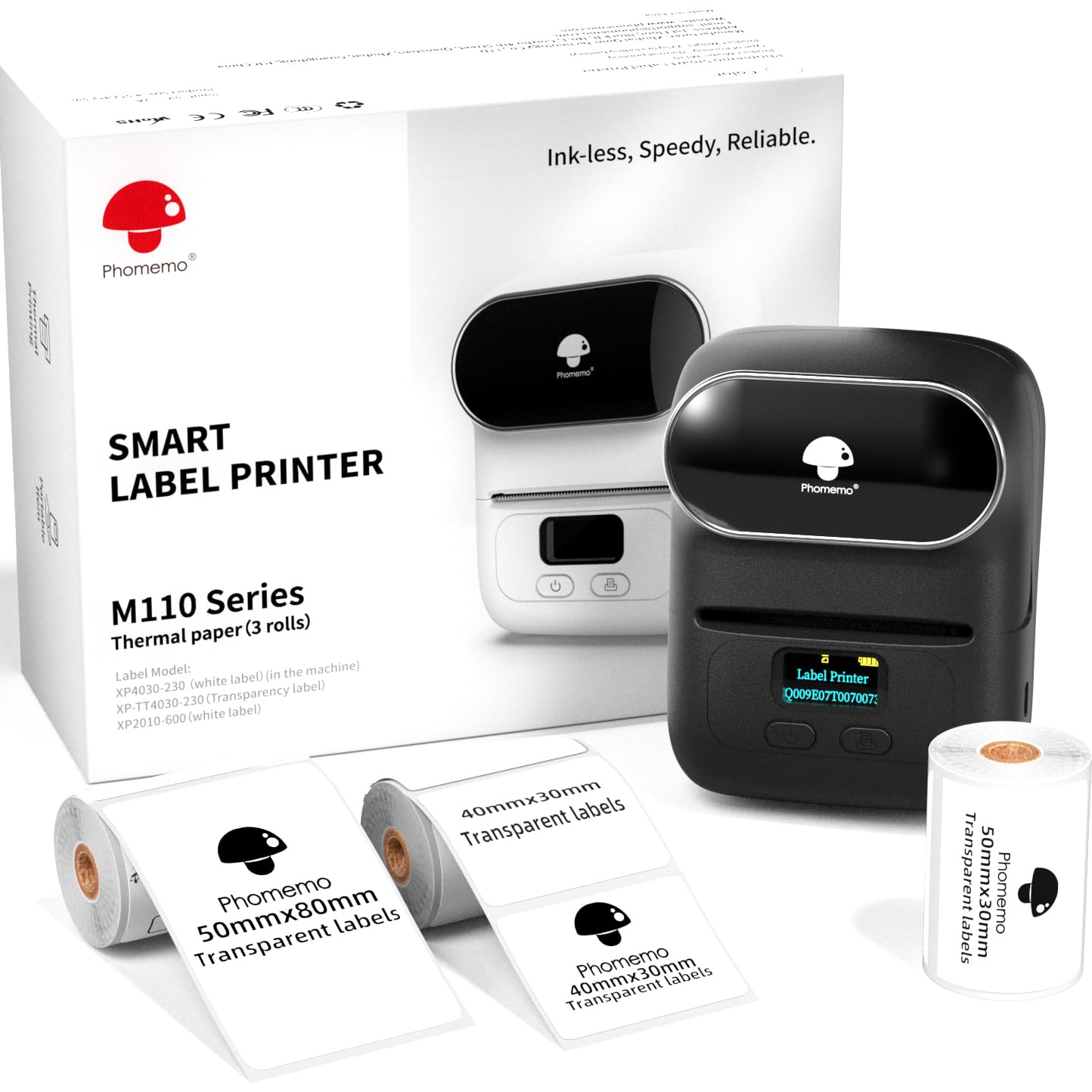
1,000+ ratings
Read Amazon ReviewsPhomemo M110 Label Printer
Choose the reviewed bundle if the carrying bag and its described starter rolls suit your needs.
Consider this other M110 package if having three specified label sizes and a stated print-size range is more useful for planning label formats.
- This M110 package includes three label sizes—40×30 mm, 50×30 mm, and 50×80 mm—and describes printing labels from 20–50 mm wide and up to 80 mm long.
- Its app supports batch printing, OCR, saved templates, and a selection of fonts, emojis, and borders.
- The reviewed M110 bundle includes three rolls of white thermal labels and a carrying bag, with app templates, Excel batch printing, and OCR described.
Desktop Label Printers alternative
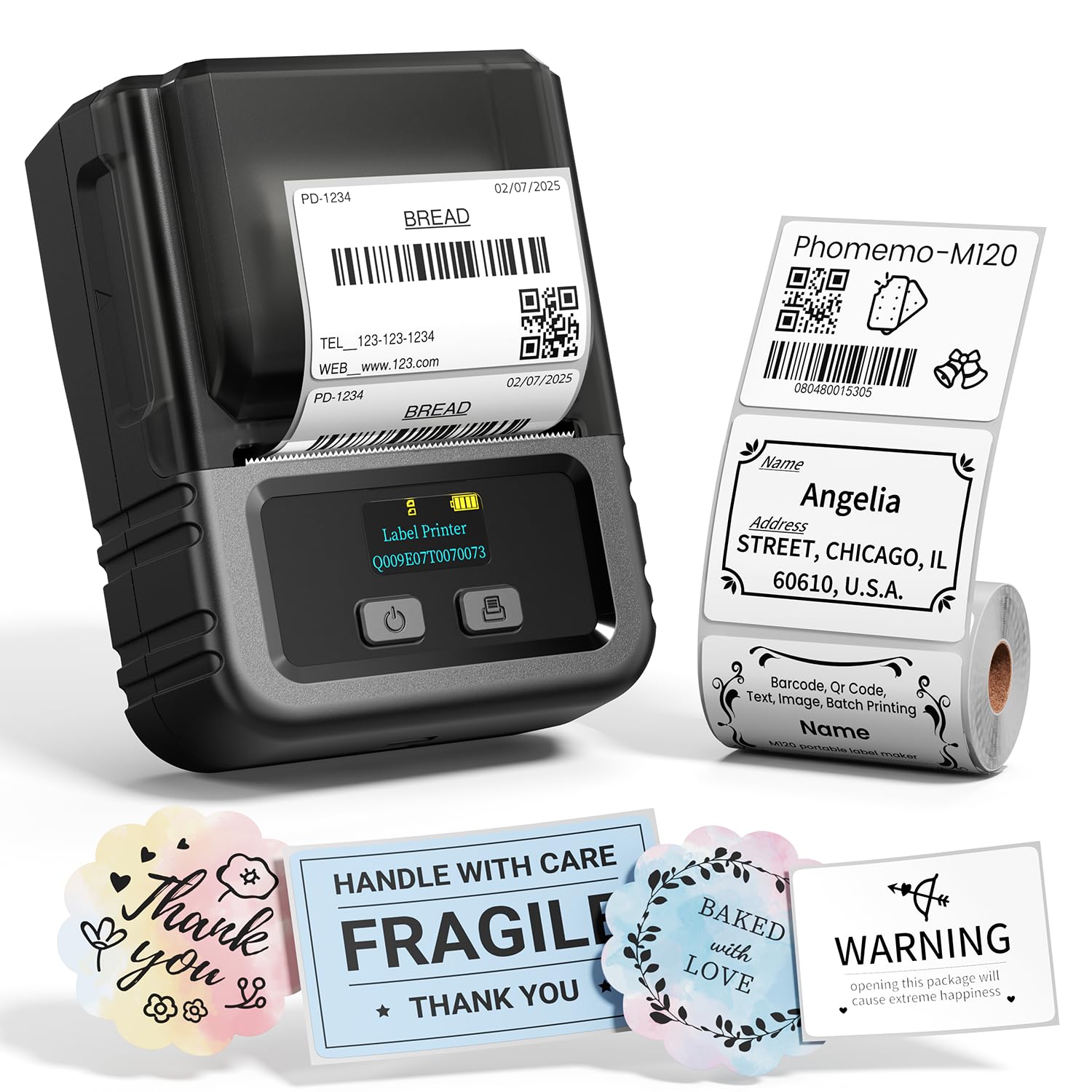
1,000+ ratings
Read Amazon ReviewsPhomemo M120 Label Maker
Consider the M120 if computer connectivity and a stated label-width range are priorities, while the M110's described bundle and Excel batch-printing workflow may be a better fit when those details matter more.
- The M120 supports 20–50 mm labels, Bluetooth printing from iOS and Android, and USB-C computer connection for Windows, Mac, and Chrome OS.
- Its app features OCR, voice recognition, and image-to-label conversion; the package includes a starter roll of 100 labels.
- The reviewed M110 emphasizes templates, Excel batch printing, and OCR, and its listed package includes a bag and three rolls of white labels.
Is Phomemo M110 Worth It?
The Phomemo M110 Label Maker is worth considering for buyers who want a portable thermal printer, included starter rolls, and app tools for repeat labels.
Its combination of templates, Excel batch printing, and OCR gives it useful reach across small-business and household tasks.
Before choosing it, make sure the app-centered workflow and recommended Phomemo label paper fit your routine. If those are acceptable and your labels are compact, the M110 offers a practical set of tools and supplies in one bundle.
Your review at a glance
6,000+ ratings
Read Amazon ReviewsPhomemo M110 Label Maker
A portable thermal label maker for small businesses and home users who want phone or PC label design, batch printing, and starter supplies in one kit.
- Compact thermal label maker with a 2-inch format, Bluetooth connection, and monochrome output.
- Kit includes three rolls of white thermal labels, a black carrying bag, USB-C cable, and user manual.
- Phomemo Print Master app offers multiple templates and the option to create custom label templates.
- Excel batch printing supports producing multiple labels from organized data.