The Liene M200 is a 4×6 dye-sublimation photo printer for people who want physical copies of phone photos without relying on a home printer setup.
This Liene M200 review focuses on its rechargeable battery, direct Wi-Fi connection, and compact print routine.
Liene M200 Review Summary
The quick verdict
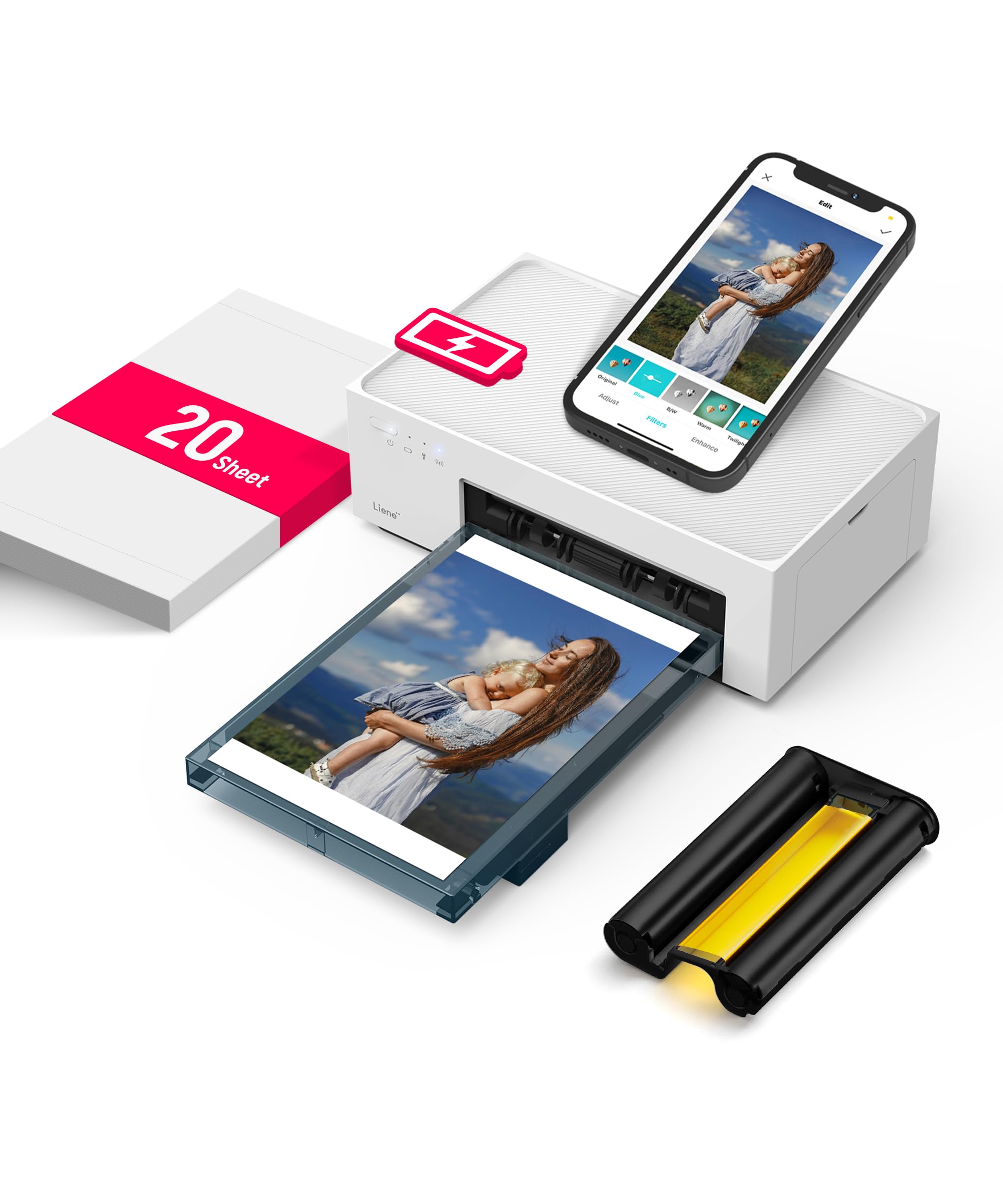
500+ ratings
Read Amazon ReviewsLiene M200
A fit for phone photographers who want glossy 4×6 prints at home or while traveling, with battery-powered printing and app-based editing.
- Dye-sublimation color printing uses three primary colors applied in layers, followed by a finishing layer.
- The finishing layer is designed to help protect prints from water, scratches, and fading.
- Rechargeable built-in battery; the product description gives a maximum of up to 40 prints per charge.
- Built-in Wi-Fi hotspot supports a direct connection, with up to five users able to connect at the same time.

Pros
- Battery operation gives it more placement flexibility than a printer that must remain plugged in.
- A built-in hotspot provides a direct connection option that does not depend on the home network.
Consider before buying
- The 20-sheet starter supply may be used quickly if several people print regularly; ongoing use means replenishing compatible paper and cartridges.
- Its 4×6 photo focus is limiting for buyers who need ordinary documents or multiple print sizes.
Read the full review summary
The M200 brings together a built-in rechargeable battery, a Wi-Fi hotspot, and dye-sublimation printing in a printer designed for 4×6 glossy photos.
Its app supports basic editing, filters, and borders, while the protective finishing layer is intended to help prints resist water, scratches, and fading.
It suits households, travelers, and small groups who want to print selected phone photos and value the option to work away from an outlet.
The main tradeoff is a focused format: this is a photo printer with a stated 4×6 paper supply, not a general-purpose document printer. Buyers should also account for replacement paper and cartridges over time.
The buying factors
Liene M200 Scorecard
Editorial scores reflect listed features and buyer fit; they are not laboratory measurements or customer ratings.
Travel flexibility
The rechargeable battery is designed for up to 40 prints per charge, so printing need not always happen beside an outlet.
Connection convenience
A built-in Wi-Fi hotspot enables a direct connection, and the printer supports up to five connected users.
Photo process
Dye-sublimation printing lays down three primary colors and a finishing layer for full-color glossy photos.
App editing
The app offers basic editing plus filters and borders, useful for simple adjustments before printing.
Starter supplies
The package includes 20 photo sheets, one cartridge, and a power adapter, enough to begin but a modest supply for frequent printing.
Use-case range
The printer is built around 4×6 photos, so it is a focused choice for keepsakes rather than varied print jobs.
Key Features and Specifications of Liene M200
- Dye-sublimation color printing uses three primary colors applied in layers, followed by a finishing layer.
- The finishing layer is designed to help protect prints from water, scratches, and fading.
- Rechargeable built-in battery; the product description gives a maximum of up to 40 prints per charge.
- Built-in Wi-Fi hotspot supports a direct connection, with up to five users able to connect at the same time.
- Compatibility includes iOS and Android devices, laptops, and PCs.
- The companion app supports basic editing, filters, and borders, and can alert users when paper or a cartridge runs out.
- The package includes 20 sheets of photo paper, one ink cartridge, and a power adapter.
Pros and Cons of Liene M200
Pros
- Battery operation gives it more placement flexibility than a printer that must remain plugged in.
- A built-in hotspot provides a direct connection option that does not depend on the home network.
- The layered dye-sublimation process and finishing layer are designed for vivid, protected 4×6 photos.
- App editing tools make it possible to add a border or filter before printing.
Consider before buying
- The 20-sheet starter supply may be used quickly if several people print regularly; ongoing use means replenishing compatible paper and cartridges.
- Its 4×6 photo focus is limiting for buyers who need ordinary documents or multiple print sizes.
- The stated battery figure is a maximum, so actual prints per charge may vary with use.
Who Should Buy Liene M200?
Good fit
Consider the M200 if you want to turn selected phone photos into 4×6 keepsakes and expect to print in more than one location.
Its battery can support short printing sessions away from an outlet, while the hotspot offers a straightforward direct connection for compatible devices.
It can also suit a household or small gathering where several people may want to send photos to one printer.
The app’s filters and borders cover light customization, and the included sheets and cartridge let you start without assembling a separate initial supply.
Before choosing it, estimate how often you will print and check the ongoing cost and availability of the paper and cartridge format. That matters more than the starter pack if you plan to make prints regularly.
Who should skip it
Skip it if your main need is printing documents, using different paper formats, or producing large batches without frequent supply changes. The described design is centered on 4×6 photos and starts with 20 sheets.
If most printing will happen at a fixed desk, compare whether battery portability is useful enough to justify choosing a battery-equipped model for your setup.
How the Liene M200 Fits a 4×6 Photo Routine
Portable printing and battery planning
The built-in battery is the M200’s clearest practical distinction for printing away from a desk.
The stated maximum is up to 40 prints per charge; treat that as a planning ceiling, and recharge before an outing if you expect to print a larger batch.
A direct connection for shared use
The built-in hotspot is intended to let a phone or other compatible device connect directly to the printer.
Support for up to five users is useful when friends or family share a printing session, though it does not remove the need to manage paper and cartridge supplies.
What the print process means for keepsakes
Dye sublimation applies color in layers and adds a finishing layer over the photo.
That design is meant to produce vivid prints with resistance to water, scratches, and fading; it makes sense for albums, displays, and hand-to-hand sharing, but is still a glossy photo workflow rather than a general office setup.
App editing and the print-size boundary
The app provides basic editing, filters, and borders before printing, which can help tailor a photo for a small album or gift.
The printer’s described use centers on 4×6 output, so check that this size matches the way you plan to display or store your photos.
Alternatives to Liene M200
Laminated-print alternative
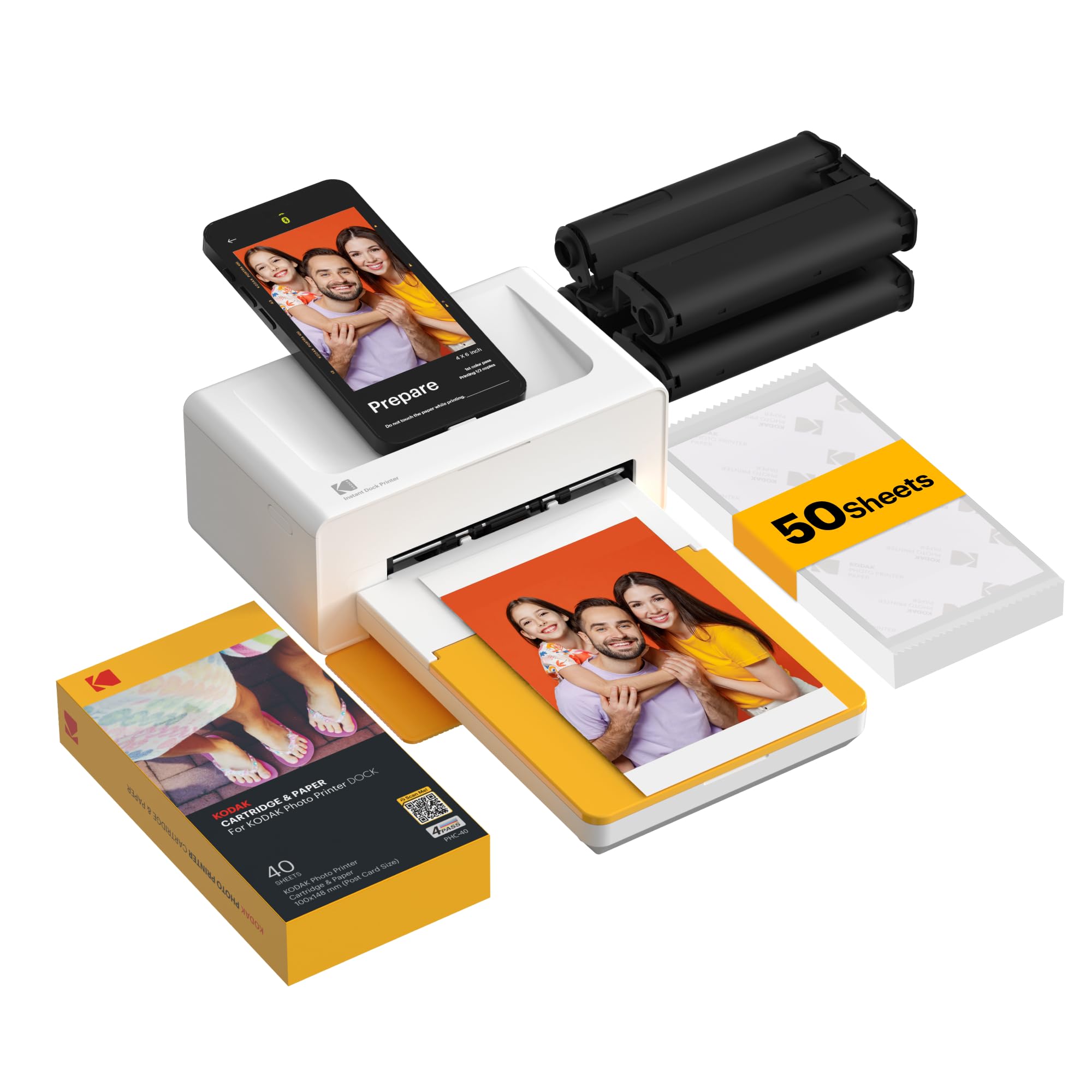
19,000+ ratings
Read Amazon ReviewsKODAK Dock Plus 4×6 Photo Printer
Choose the M200 if battery-powered placement matters for travel or flexible use around the home.
Consider the KODAK Dock Plus if you expect to print at a fixed home station and value its integrated phone dock and charging arrangement.
- The KODAK Dock Plus is described as a home printer with an integrated phone docking station that can charge a phone during printing.
- It connects wirelessly by Bluetooth and uses 4PASS dye-sublimation printing with a protective lamination layer.
- The Liene M200 combines a built-in rechargeable battery with a Wi-Fi hotspot and is described for printing in locations without a power cord.
Desktop Photo Printers alternative
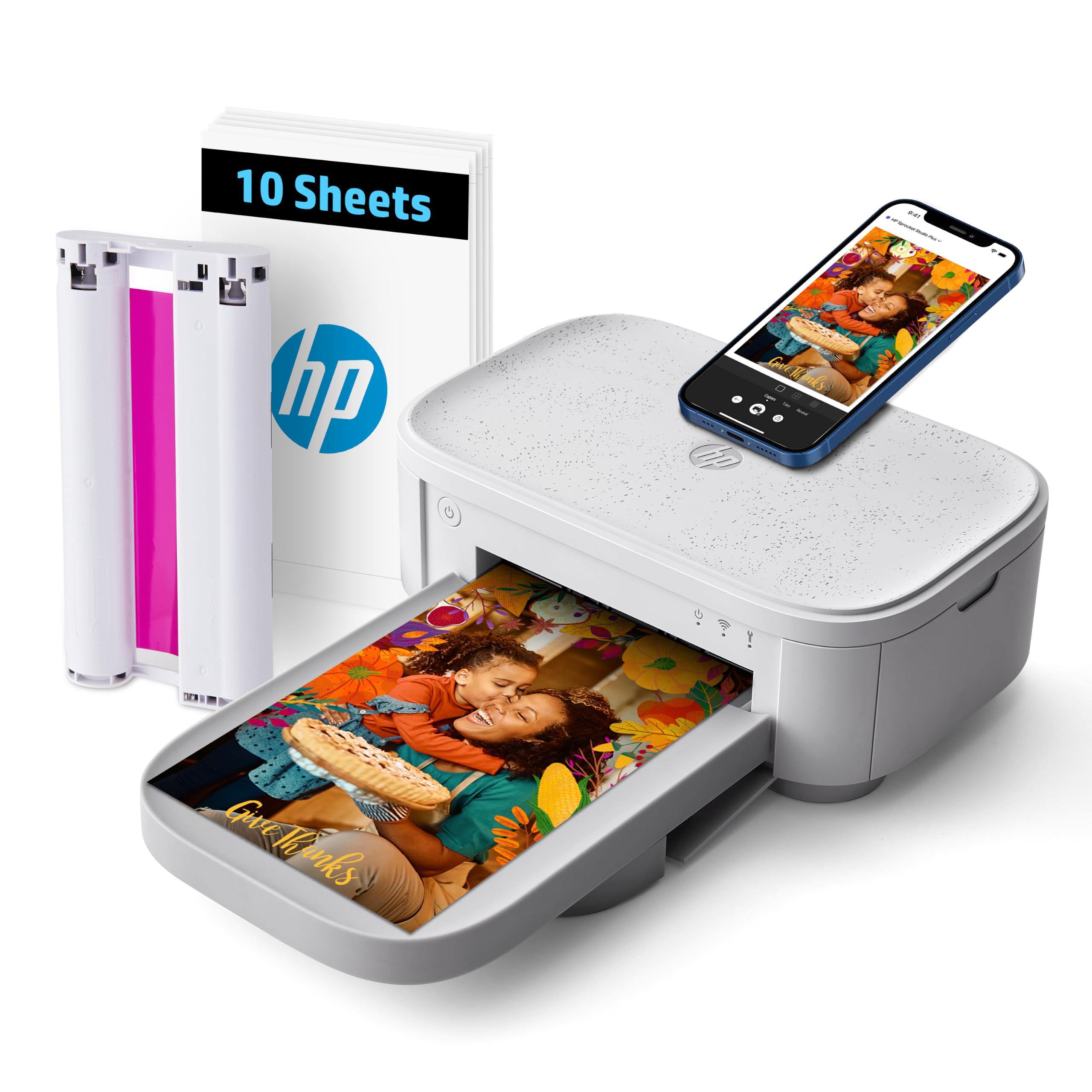
800+ ratings
Read Amazon ReviewsHP Sprocket Studio Plus
The M200 is the more natural fit when printing away from an outlet and a direct hotspot connection are priorities.
The HP is worth comparing if its creative app tools, including collage and photobooth options, better match how you plan to prepare photos.
- The HP Sprocket Studio Plus is a Wi-Fi-connected 4×6 dye-sublimation printer with an editing app offering stickers, frames, and filters.
- Its description highlights collage, photobooth, and photo ID creation, as well as tear-resistant, smudge-proof, waterproof paper.
- The M200 offers a battery-powered option, a direct Wi-Fi hotspot, and app editing with filters and borders.
Is Liene M200 Worth It?
The Liene M200 is worth considering for phone photographers who want 4×6 glossy prints and value battery operation, a direct Wi-Fi connection, and simple app editing.
Its layered printing process and protective finish are aimed at making photos suitable for keeping and sharing.
Buy it if portability will matter in your routine and you are comfortable replenishing photo paper and cartridges as you print.
If the printer will stay on a desk, or you need varied formats or general document printing, its focused design is less compelling.
Your review at a glance
500+ ratings
Read Amazon ReviewsLiene M200
A fit for phone photographers who want glossy 4×6 prints at home or while traveling, with battery-powered printing and app-based editing.
- Dye-sublimation color printing uses three primary colors applied in layers, followed by a finishing layer.
- The finishing layer is designed to help protect prints from water, scratches, and fading.
- Rechargeable built-in battery; the product description gives a maximum of up to 40 prints per charge.
- Built-in Wi-Fi hotspot supports a direct connection, with up to five users able to connect at the same time.