The Kodak Slide N Scan is designed to make old negatives and slides easier to browse, edit, and convert into JPEG files.
This kodak slide n scan film & slide scanner review looks at its format support, built-in screen, and simple saving workflow for home archiving.
Kodak Slide N Scan Review Summary
The quick verdict
12,000+ ratings
Read Amazon ReviewsKodak Slide N Scan
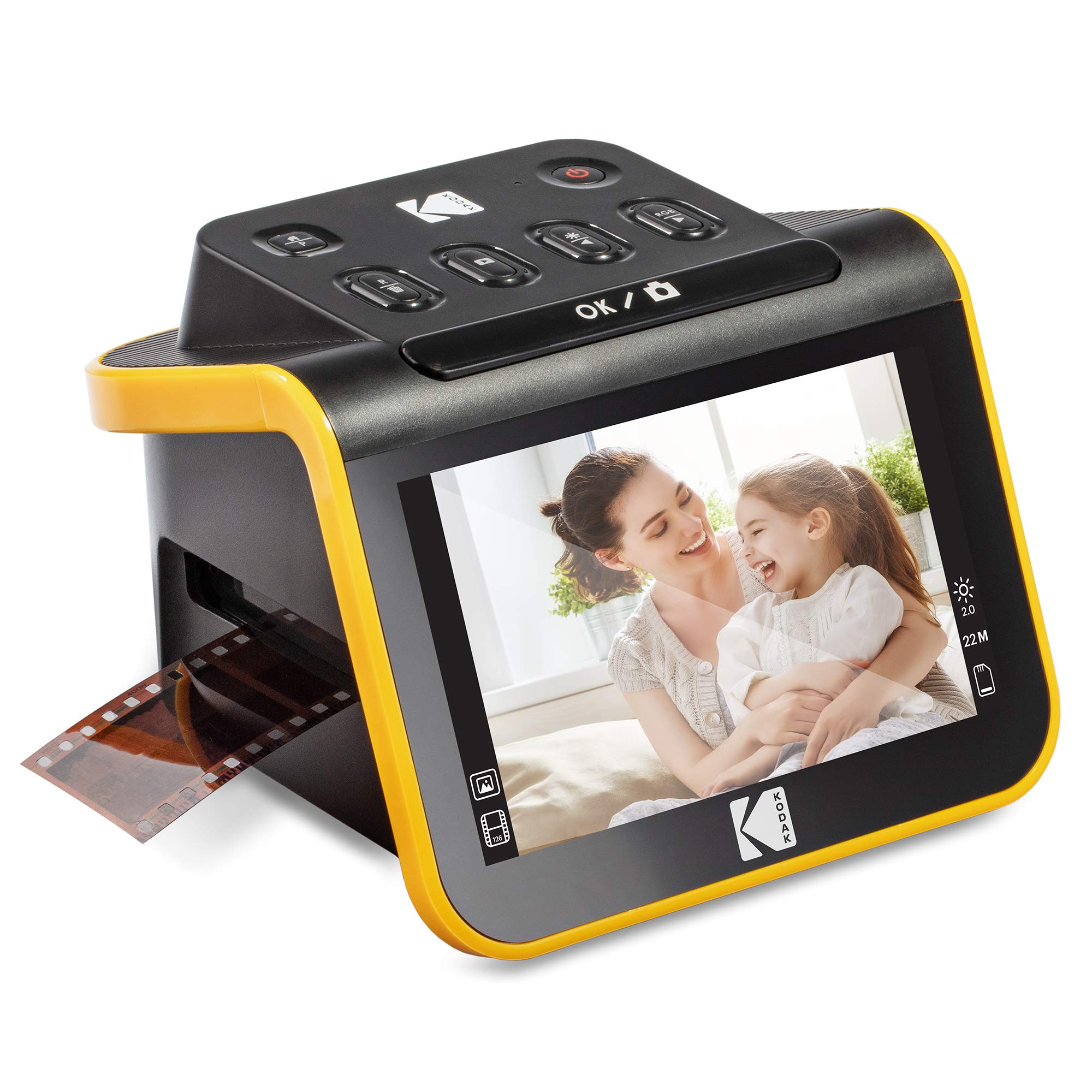
A practical fit for families and hobbyists digitizing 135, 126, or 110 negatives and slides who want on-device previews and SD card saving.
- Converts 135, 126, and 110 color or black-and-white negatives and slides into digital JPEG files.
- A 5-inch LCD supports image preview and includes a gallery mode for browsing saved photos.
- Quick-feeding tray technology is designed for continuous loading, with holders and adapters for the supported formats.
- One-touch capture software offers resizing and conversion, plus options for choosing film type and adjusting color and brightness.

Pros
- The larger built-in screen makes it easier to preview and browse scans on the device.
- Direct card saving supports a simple workflow that does not depend on keeping a computer connected throughout.
Consider before buying
- The SD or SDHC card needed for saving is not included.
- Its documented format coverage is limited to 135, 126, and 110 negatives and slides; confirm that your collection matches before purchasing.
Read the full review summary
The Slide N Scan brings several useful steps into one tabletop device: it accepts selected film formats, previews images on a 5-inch LCD, offers basic adjustments, and saves files directly to an SD or SDHC card.
That can make it appealing for people who want to work through a family collection without making a computer the center of every scan.
Its strongest fit is a home user with 135, 126, or 110 film and slides who values a large preview screen and a straightforward loading process.
The format list and included holders matter: check the markings on your film before buying, especially if your collection includes less common types.
The memory card is sold separately, and the description gives a maximum supported capacity of 32GB.
The buying factors
Kodak Slide N Scan Scorecard
Editorial scores reflect listed features and buyer fit; they are not laboratory measurements or customer ratings.
Format coverage
Supports 135, 126, and 110 negatives and slides, covering several common legacy formats, though not every film type.
Preview and review
A 5-inch LCD with gallery mode gives images a generous on-device viewing area.
Workflow simplicity
Quick-feed inserts and a single scan control are intended to keep the capture process approachable.
Basic editing
On-device options include film type, color and brightness adjustments, resizing, and date or time assignment.
Standalone use
Files can be saved to a supported SD or SDHC card without making a computer the main part of the workflow.
Collection flexibility
The stated film-format support is useful but finite, and the required memory card is not included.
Key Features and Specifications of Kodak Slide N Scan
- Converts 135, 126, and 110 color or black-and-white negatives and slides into digital JPEG files.
- A 5-inch LCD supports image preview and includes a gallery mode for browsing saved photos.
- Quick-feeding tray technology is designed for continuous loading, with holders and adapters for the supported formats.
- One-touch capture software offers resizing and conversion, plus options for choosing film type and adjusting color and brightness.
- Allows date and time assignment to images.
- Saves directly to SD or SDHC cards up to 32GB; the card is not included.
- The package includes a 50mm slide holder, film adapters, cleaning brush, USB cable, and HDMI cable.
Pros and Cons of Kodak Slide N Scan
Pros
- The larger built-in screen makes it easier to preview and browse scans on the device.
- Direct card saving supports a simple workflow that does not depend on keeping a computer connected throughout.
- Included adapters cover 135, 126, and 110 film, with a dedicated holder for 50mm slides.
- Basic image adjustments are available during capture, without requiring a complicated editing workflow.
Consider before buying
- The SD or SDHC card needed for saving is not included.
- Its documented format coverage is limited to 135, 126, and 110 negatives and slides; confirm that your collection matches before purchasing.
- The scan workflow includes manual loading and image review, so digitizing a large archive still involves handling individual frames.
Who Should Buy Kodak Slide N Scan?
Good fit
Consider the Kodak Slide N Scan if you want a self-contained way to digitize supported film at home and prefer checking each image on a built-in screen.
The gallery mode and direct card saving may be especially convenient when you want to review a batch without immediately transferring it to a computer.
It is also a sensible option for a mixed collection of 135, 126, and 110 negatives and slides. Check the film format before ordering, and plan to have a compatible SD or SDHC card ready.
The supplied cleaning brush is useful for routine care around the scanning area.
Who should skip it
Look elsewhere if your archive contains formats outside 135, 126, and 110, or if you need a workflow built around a different film size. The listed compatibility does not cover every vintage film format.
This may be a poor match if you expect a completely hands-off process. The device uses film inserts and frame-by-frame capture, so consider how much time you are willing to spend loading and checking a large collection.
What the Kodak Slide N Scan Means for Home Film Archiving
A useful screen for reviewing a batch
The 5-inch LCD is central to the device’s appeal: it provides a larger viewing surface for previewing and browsing images than a compact status display would.
Gallery mode also makes it possible to revisit saved photos on the scanner. For family archiving, that helps keep capture and first-pass review in one place, though the screen does not remove the need to inspect images carefully.
Format compatibility is the first buying check
This scanner is intended for 135, 126, and 110 negatives and slides, with included adapters for those film formats and a 50mm slide holder.
That is a useful range for many household collections, but format names can be easy to overlook when sorting older film.
Identify the formats you actually own and make sure they fit the supported set before choosing this model.
A straightforward save-and-adjust routine
The stated workflow combines a quick-feed tray, one-touch capture, and modest adjustments such as film type, color, and brightness. Direct saving to SD or SDHC reduces the need to keep a computer involved during scanning.
Since cards are not included and capacity is limited to 32GB, choose a compatible card before starting a larger project and keep copies of important scans elsewhere.
Plan for hands-on handling
The loading system is designed to make repeated feeding more convenient, but converting a collection still means handling film and reviewing the resulting files. The included cleaning brush can help with routine dust removal.
Buyers with a large archive should think about the time required for loading, capture, and checks, and decide whether this home workflow suits the size of the job.
Alternatives to Kodak Slide N Scan
Slide & Negative Scanners alternative
100+ ratings
Read Amazon ReviewsHP Film & Slide Scanner HPFS500
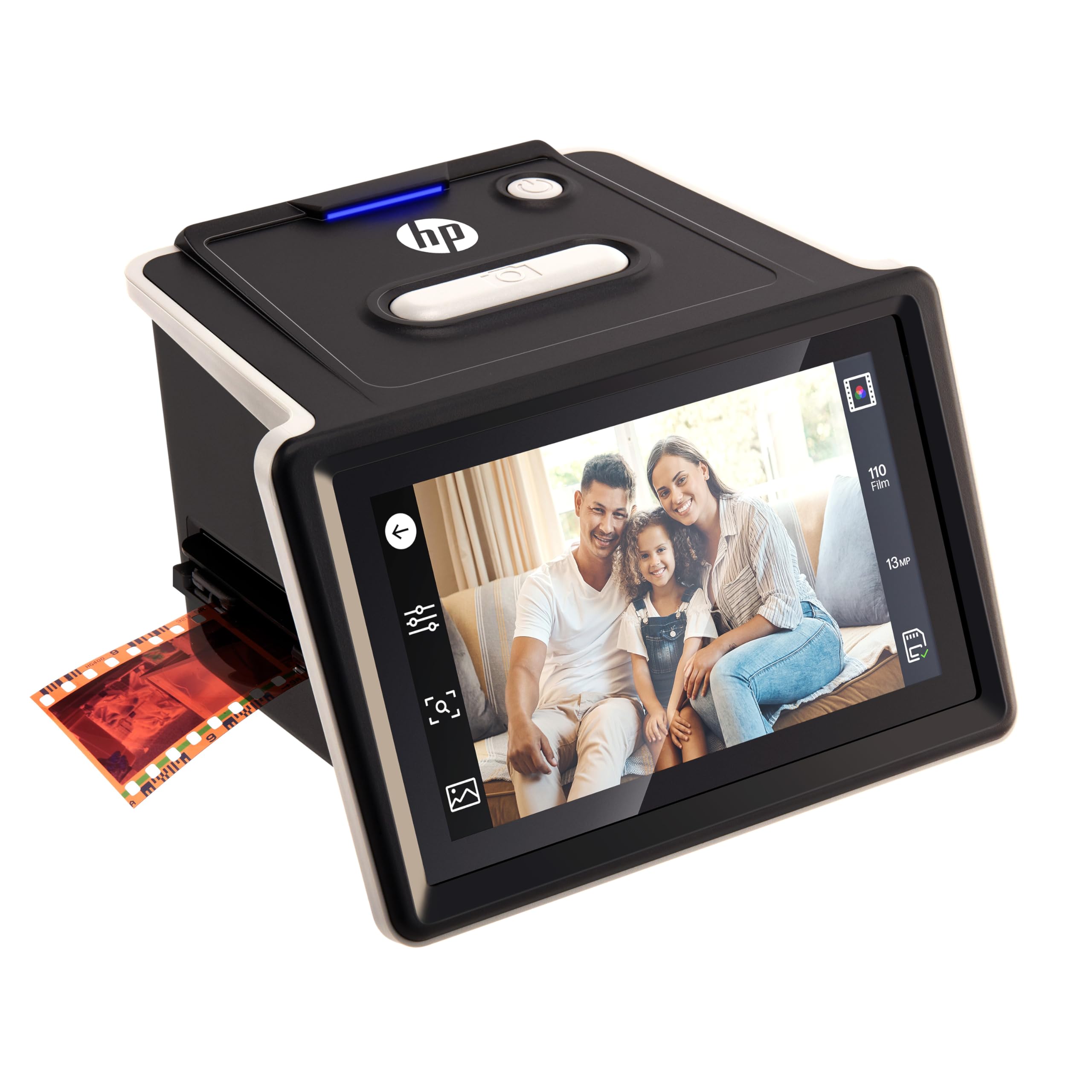
Compare the HPFS500 if touchscreen controls and USB-C power are priorities; the Kodak’s stated controls are described as one-touch and it includes a 50mm slide holder.
Both cover the same three film formats, so check the rest of the workflow details against your preferences.
- The HPFS500 also lists 135, 126, and 110 film support and a 5-inch touchscreen with preview and editing.
- It specifies a 13MP CMOS sensor with 22MP interpolation, USB-C power, and direct SD card saving.
- The Kodak Slide N Scan supports 135, 126, and 110 negatives and slides, has a 5-inch LCD, and saves to SD or SDHC cards up to 32GB.
Slide & Negative Scanners alternative
11,000+ ratings
Read Amazon ReviewsKodak Scanza Digital Film & Slide Scanner
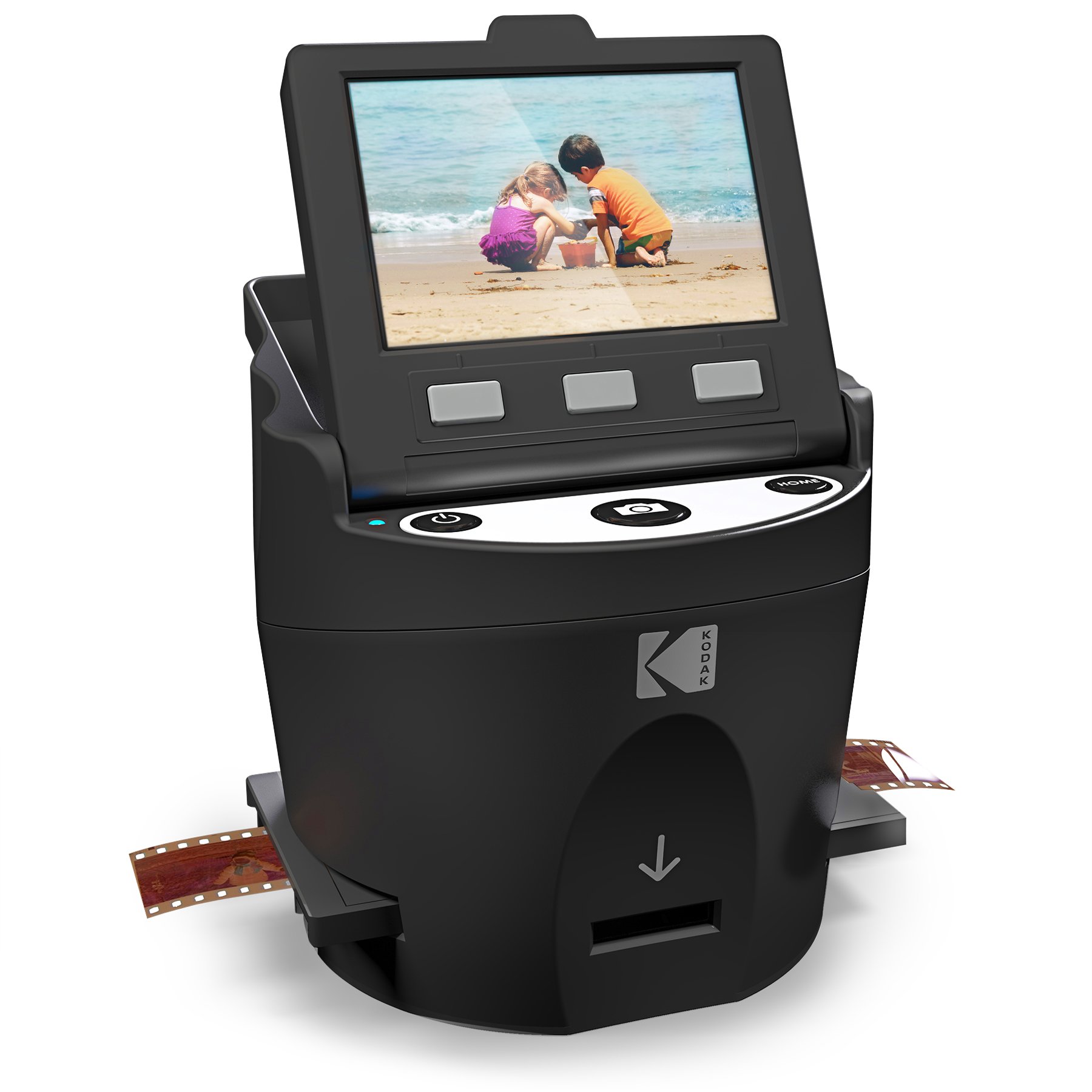
The Scanza may suit a collection that includes Super 8 or 8mm, formats not listed for the Slide N Scan, and it supports larger-capacity cards.
Choose the Slide N Scan if its larger 5-inch display and listed slide workflow better fit your priorities.
- The Scanza lists support for 35mm, 126, and 110 film as well as Super 8 and 8mm.
- It has a 3.5-inch adjustable-tilt display, editing controls, and SD card support up to 128GB.
- The Slide N Scan has a 5-inch LCD and lists 135, 126, and 110 negatives and slides as supported formats.
Is Kodak Slide N Scan Worth It?
The Kodak Slide N Scan is worth considering for home digitization if your collection uses 135, 126, or 110 film and you want a large on-device preview screen, basic adjustments, and direct SD card saving.
Its built-in gallery and included format adapters make for a convenient, approachable setup.
Before buying, confirm your film formats and account for the separate memory card.
The hands-on loading and limited format coverage are the main considerations; for a compatible family archive, it offers a practical path from old film to shareable JPEG files.
Your review at a glance
12,000+ ratings
Read Amazon ReviewsKodak Slide N Scan
A practical fit for families and hobbyists digitizing 135, 126, or 110 negatives and slides who want on-device previews and SD card saving.
- Converts 135, 126, and 110 color or black-and-white negatives and slides into digital JPEG files.
- A 5-inch LCD supports image preview and includes a gallery mode for browsing saved photos.
- Quick-feeding tray technology is designed for continuous loading, with holders and adapters for the supported formats.
- One-touch capture software offers resizing and conversion, plus options for choosing film type and adjusting color and brightness.